

Generate synthetic data#
This tutorial uses TomoPhantom to create a synthetic tomography dataset that can be processed directly by HTTomo. Synthetic data can include controlled artefacts such as zingers, stripes, noise and misalignment. This makes it useful for testing the robustness of processing methods.
The data output follows the NXtomo application definition and contains projections, flat-field images, dark-field images and rotation angles. See Creating an NXtomo file for more information about the NXtomo format.
Install TomoPhantom#
Install TomoPhantom and the generator’s optional dependencies in the same Conda environment as HTTomo:
$ conda install -c httomo -c conda-forge "tomophantom>=3.1.5" psutil scikit-image
Prepare the detector settings#
Download the following example configurations and place them in a new working directory:
artefacts.jsonadds stripes and zingers to the projections.flat_settings.jsonconfigures the simulated flat-field images and detector response.
The files are optional and can be edited to create different detector conditions. See the TomoPhantom artefacts documentation for the available settings.
Generate the dataset#
From the directory containing the JSON files, run:
$ python -m tomophantom.scripts.nxs_generator \
    --realistic \
    --model-number 18 \
    --sinogram-shape 256 512 740 \
    --flats 20 \
    --darks 10 \
    --source-intensity 20000 \
    --artefacts artefacts.json \
    --flat-settings flat_settings.json \
    --seed 1 \
    --output-path tomodata_synth.nxs
The main options are:
--model-numberThe model selected from the TomoPhantom 3D phantom library.
--sinogram-shapeThe detector height, number of projection angles and detector width.
--flatsand--darksThe number of flat-field and dark-field images to generate.
--source-intensityThe simulated source intensity used by the detector noise model.
--seedThe random seed used to make the simulation reproducible.
For a faster test, reduce the shape to 128 256 362. To generate the 3D
Shepp–Logan phantom, use --model-number 13. Run the following command to
see all generator options:
$ python -m tomophantom.scripts.nxs_generator --help
Inspect the result#
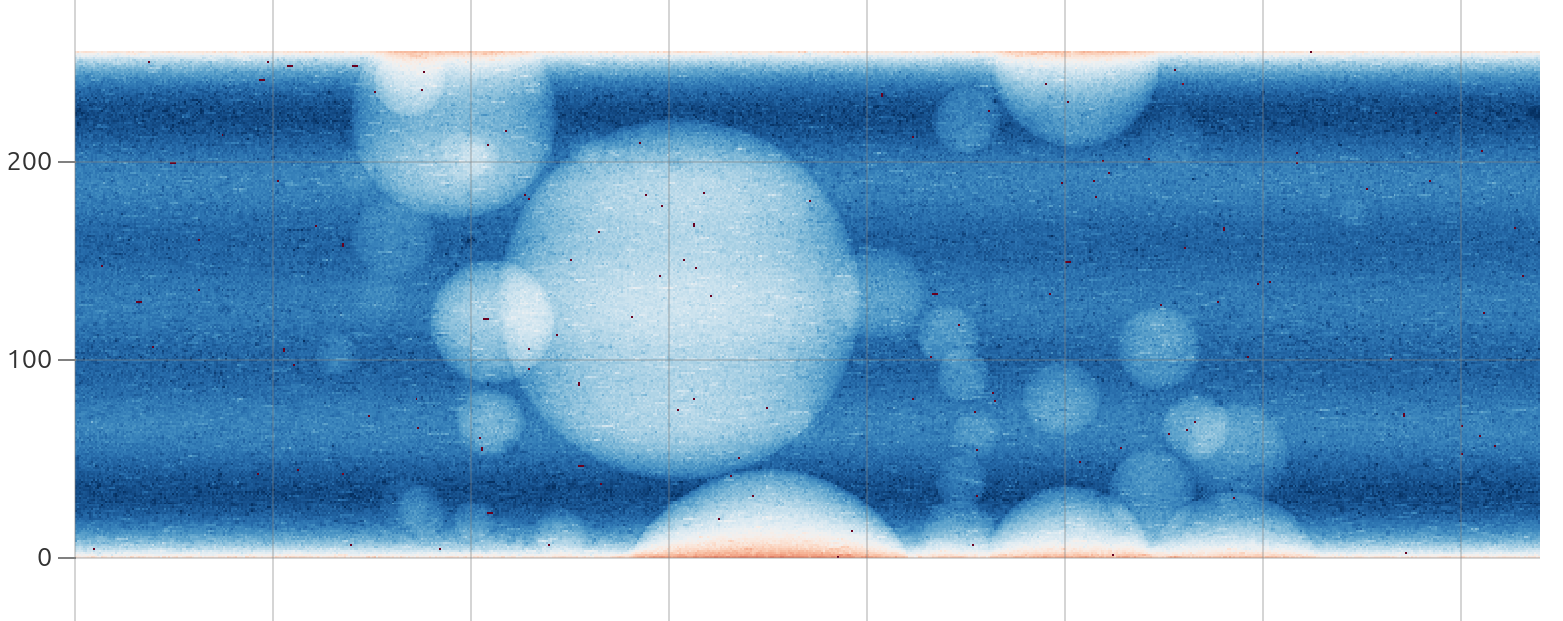
Fig. 20 Visualising the generated synthetic data in myHDF5 viewer.#
The command creates tomodata_synth.nxs with 10 darks, 20 flats and 512
projections. You can inspect its hierarchy and datasets with DAWN, HDFView, silx view or the browser-based
myHDF5 viewer.
Use the data with HTTomo#
Because the generated file is NXtomo-compliant, the standard loader can locate its data, image keys and rotation angles automatically:
- method: standard_tomo
  module_path: httomo.data.hdf.loaders
  parameters:
    data_path: auto
    image_key_path: auto
    rotation_angles: auto
    preview:
      detector_x:
        start: null
        stop: null
      detector_y:
        start: null
        stop: null
    darks: null
    flats: null
Add the required processing methods after the loader, then check and run the pipeline. See Automatic NXtomo discovery for more information about automatic NXtomo discovery.